


Choosing the best restaurant menu template is important for every restaurant, as your menu conveys your brand, core product offering, and other critical information for your guests. If you are trying to build out a menu for your restaurant, then this guide is for you. The best menu templates should be readable, editable, printable, and easy to update. This list will include both free and paid options, covering a variety of restaurant types.
How to choose a restaurant menu template
The number of restaurant menu templates available to you can be overwhelming. It is important to understand your business, restaurant brand, customer base, and the core information you want to convey when choosing a restaurant menu template. Consider the points below when choosing a menu template.
Match the template to your service style
The template you choose needs to match your restaurant's service style. Whether your restaurant is a cafe, bar, full-service restaurant, QSR, or simply a takeout concept will determine the type of menu template you choose. Your restaurant type will determine your template's needs, so ensure your template is built to showcase the style of food service you offer.
Choose based on menu size
Menu sizing is important when choosing a template as it impacts the visual ease with which your menu is read. Shorter menus will often use more white space and selective imagery, while larger menus require stronger categories, consistent formatting, and an easy-to-follow hierarchy.
Prioritize readability over design trends
Readability should always take precedence over design when choosing your restaurant menu template. Easily legible fonts, spacing, contrast, concise descriptions, and clear pricing are all critical to menu design; it shouldn’t just be about aesthetics. A template should be editable to accommodate seasonal dishes, price changes, unavailable items, and updates across the restaurant POS system and digital ordering channels.
Best restaurant menu templates by use case
1. Best Overall Menu Template
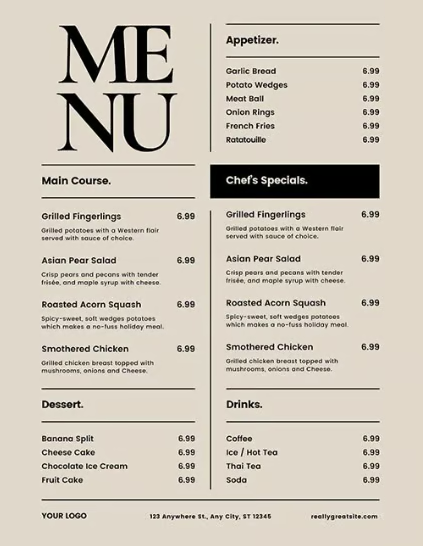
This template is the perfect example of how simplicity and intentional use of the menu space result in a crystal-clear experience for the guest. It not only offers the base menu for customers to view but includes space for any specials or dishes you want to highlight on any particular evening.
2. Best free restaurant menu template
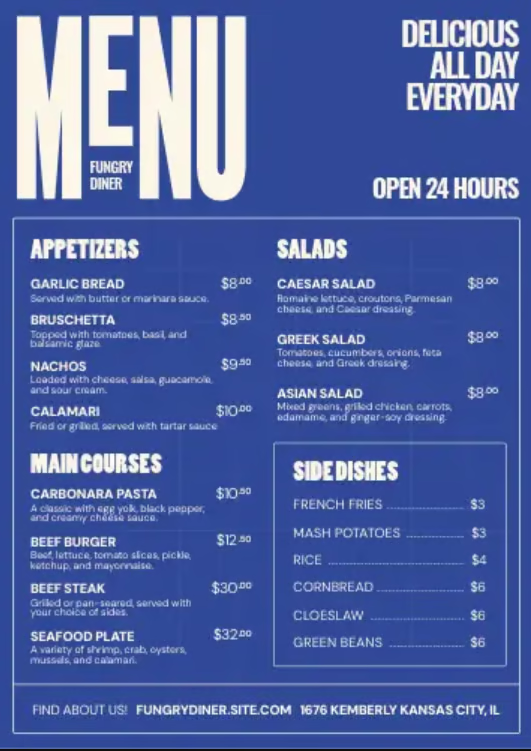
This menu template offers a fun branding opportunity, with plenty of room to capture your whole menu. Pricing is clear, contact information is at the bottom, and your menu items are broken down by category in a clear, digestible way. When it comes to a free template that is clear, easy to read, and engaging with your brand, I suggest this one.
3: Best editable Canva restaurant menu template
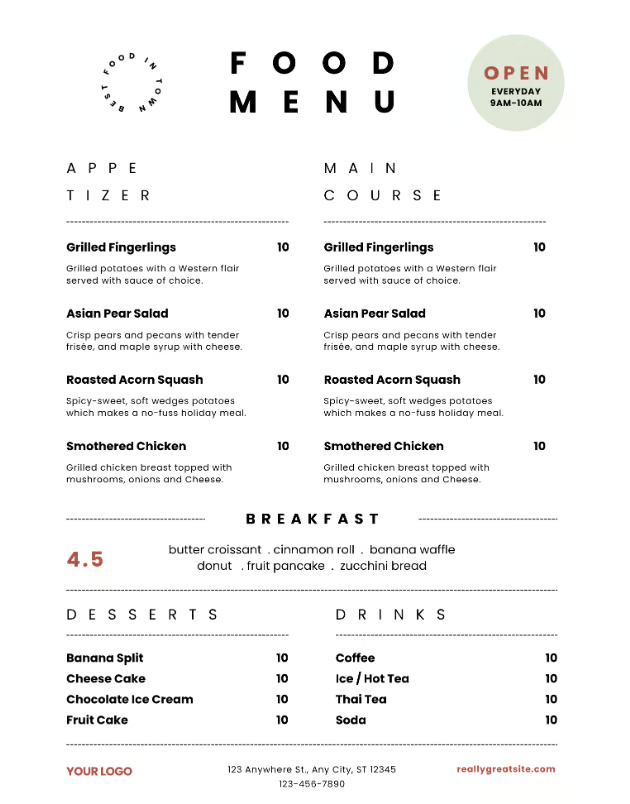
This editable restaurant menu template offers clear categorization, clear restaurant contact information, and a vertical layout to ensure easy reading and an elegant design. I particularly think the hours in the top right are a nice touch, and the space in the top left is ideal for logo placement. This editable menu on Canva is one of the best I’ve seen, and is great for a variety of restaurant types.
4. Best printable restaurant menu template
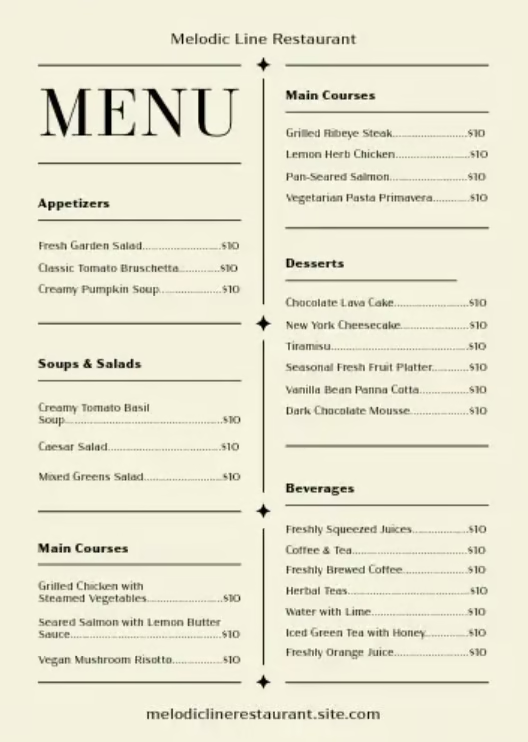
This printable menu is a great option for restaurants who want a physical offering for their guests. It is clean, categorically organized, and offers room for a variety of different menu options. Additionally, pricing is clean, and the borders are wide, ensuring you have space to edit and reprint when necessary. This template is elegant enough for most restaurants, while being easy to update whenever reprinting is needed.
5. Best fine dining menu template
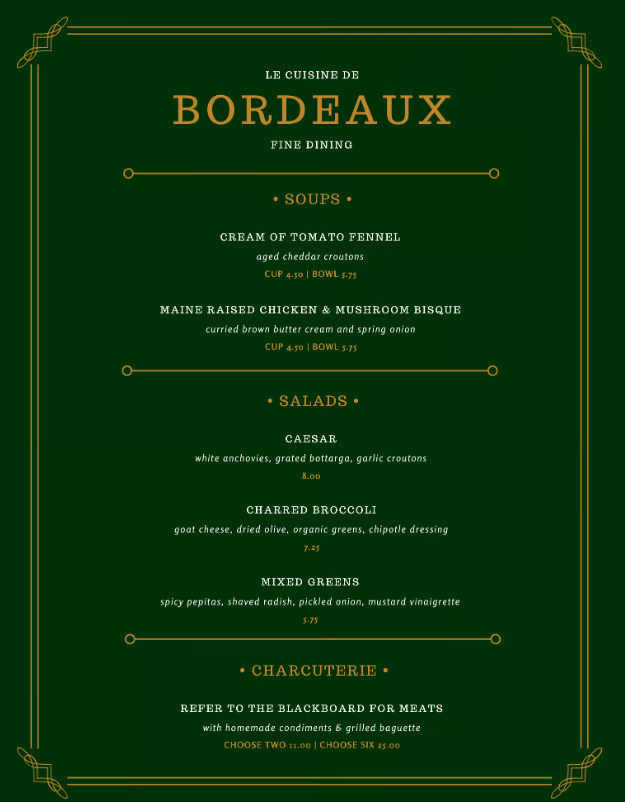
This menu is the quintessential fine dining menu. The colors can be customized, the golden border evokes a premium experience, and the larger font and streamlined offerings match the limited menu that most fine dining restaurants offer. I particularly like the description layout, which allows each menu item to be fully described with the different components it is made of. The different pricing on the bottom for dining is also editable, so you can ensure your courses meet your revenue targets.
6. Best casual dining menu template
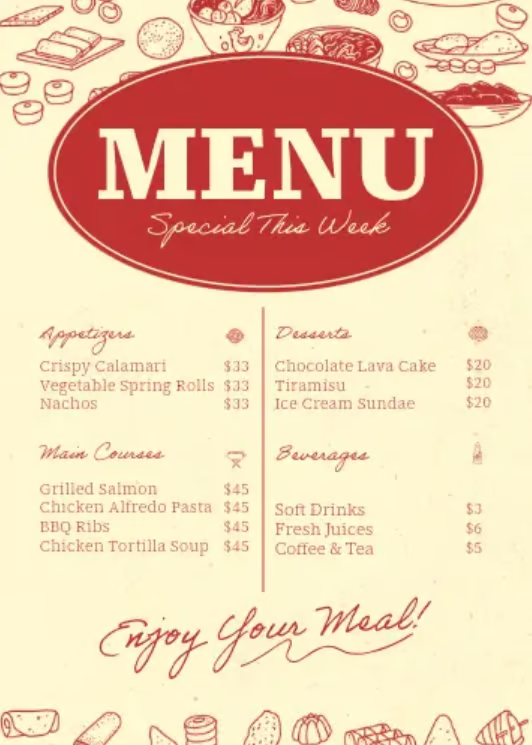
When I think of a casual menu, I think of limited but craveable offerings and a fun food vibe. This casual menu template captures this perfectly, with clear naming, identifiable pricing, and a look that harkens back to a more vintage era of dining. You can easily remove the “Special This Week” section and use this as a permanent offering if your menu item count permits. Casual menus often don't need to offer much, and if that is the case, a menu with fun, light-hearted visuals may be your best pick.
Related: 12 Unique Restaurant Menu Items
7. Best cafe menu template
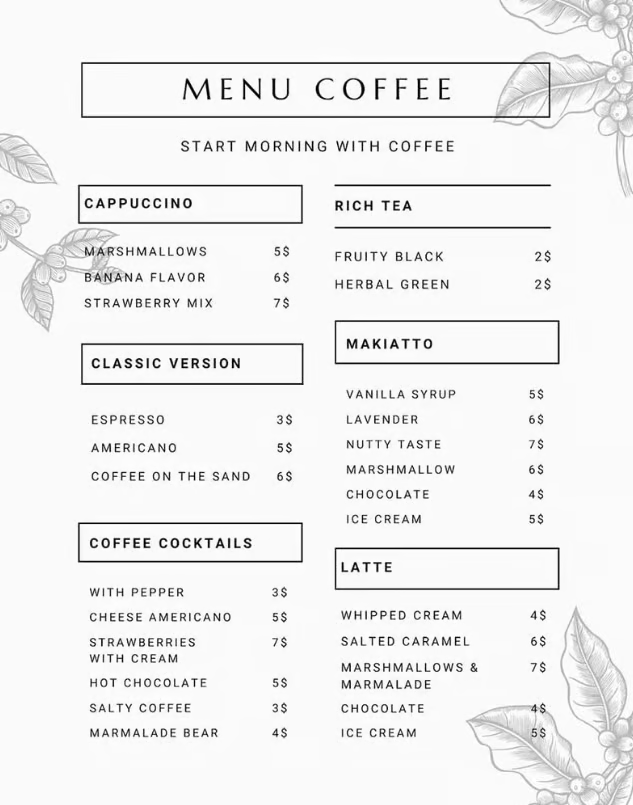
Coffee shops are becoming more and more popular due to the wide variety of drinks and beverages they offer. Many shops now also go for a sleeker, more minimalist look in their interior design, creating a focused, welcoming, and open space for people to meet and work. This menu reflects that and is great for a coffee shop with many menu items.
The spacing on this menu makes it easy to read. The different sections let you list teas, coffee drinks, and espresso-fueled options separately. And if you do not serve coffee-based cocktails, you could replace that section with any baked goods or other food items you may offer. This is the ideal template for a coffee shop with much to offer that needs to relay that information quickly, especially during the morning customer rush.
8. Best bar menu template
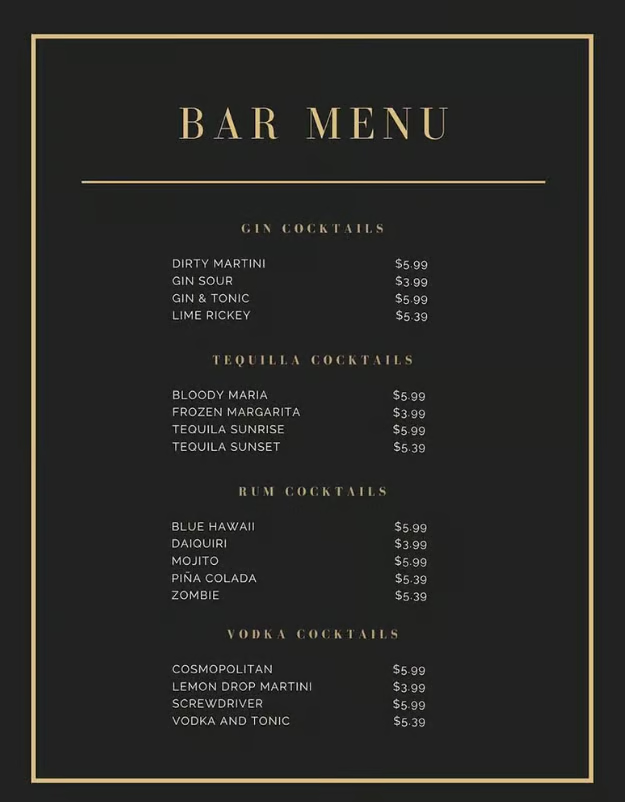
Many restaurants have a separate bar area. It is a good idea to have a separate menu, specifically if your bar has many different drink options. You can use this sleek black-and-gold menu template for any bar and add various categories to suit your offerings. This menu specifically sorts drinks by alcohol type, making it easy for guests to know the base of a drink. This bar menu may be a little too elegant for some, but for bars with a more refined feel, it is a great fit.
9. Best cocktail menu template
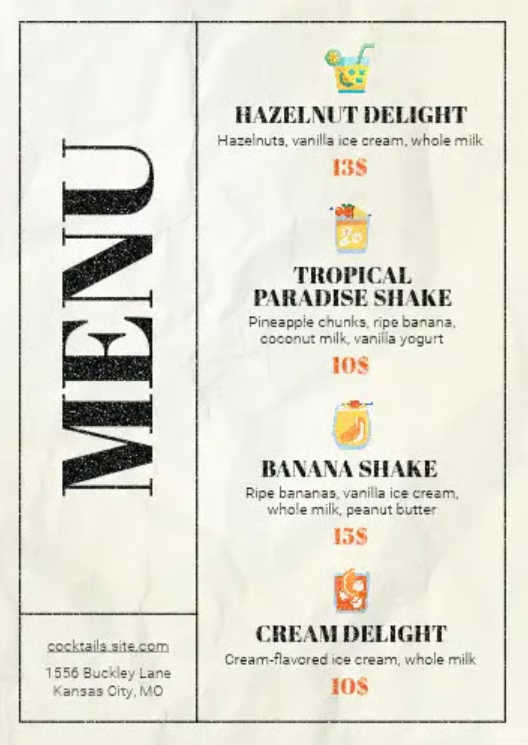
I am a big fan of cocktail menus that give an idea of what the actual cocktail looks like. An image like the ones above represents the cocktail being offered, and those slots can easily be inserted with actual images of the cocktail. Because it needs to convey flavors and ingredients, I find this cocktail menu template extremely useful and efficient for the information it provides. There is a nice touch with the website and address in the bottom corner as well, even if you may want this removed. This cocktail menu template is great for cocktail bars that really want to showcase the composition of their drinks.
10. Best takeout menu template
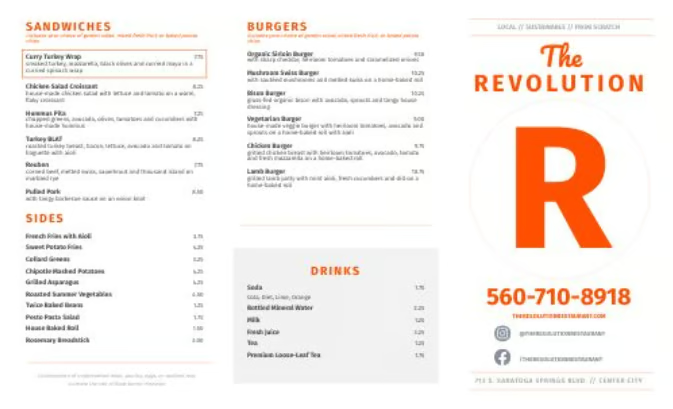
Virtually any style of restaurant can use this takeout menu template. This is set up to be folded in thirds so it is easy to store and pass out to customers. The menu provides ample space for your logo and contact information below. The clean background also lets you share the food you are offering in an easy-to-read menu. This is a great example of a takeout menu that is functional and efficient for customers.
11. Best food truck menu template
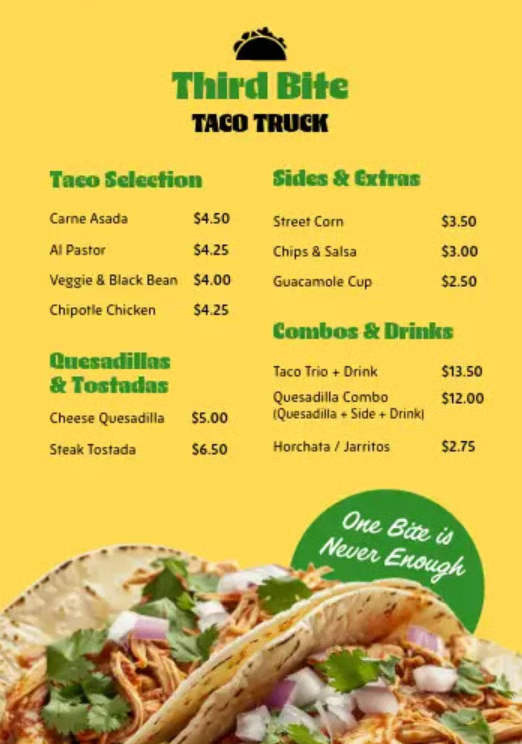
This food truck menu template does what I believe is very valuable: it offers a readable menu experience with very clear pricing. Food trucks have limited menus, so having options laid out with bold pricing will allow for very efficient customer lines and ensure customers are ready to order when they get to the window. This template is themed for taco trucks, and I could do without the “One bite is enough” logo, but this can be easily edited out while keeping the core menu construct.
12. Best brunch menu template
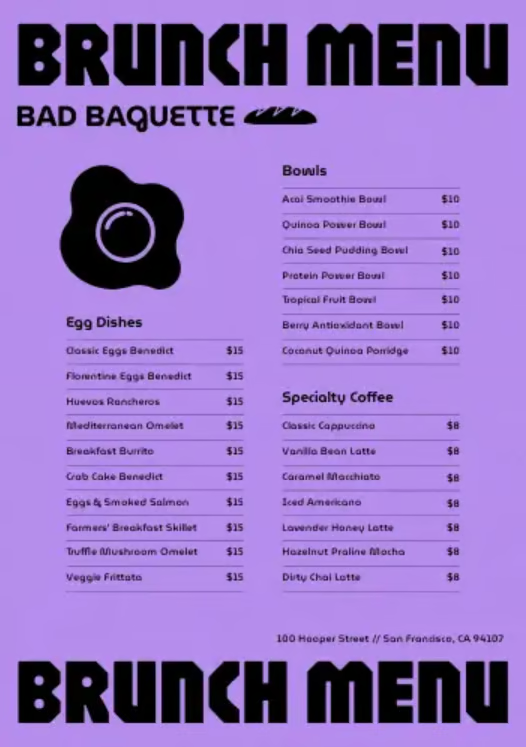
This brunch menu template is trendy, offering bold color palettes and branding opportunities for your restaurant. Furthermore, the different categories simply state the menu item and price, allowing you to offer a wide range of brunch options in a clear and concise way. I would edit the different food images (the egg, baguette) based on your menu offering, and the black-and-purple contrast might not be everyone’s favorite. Luckily, this design is editable and is a great option for those looking to add style to their brunch menus.
13. Best dessert menu template
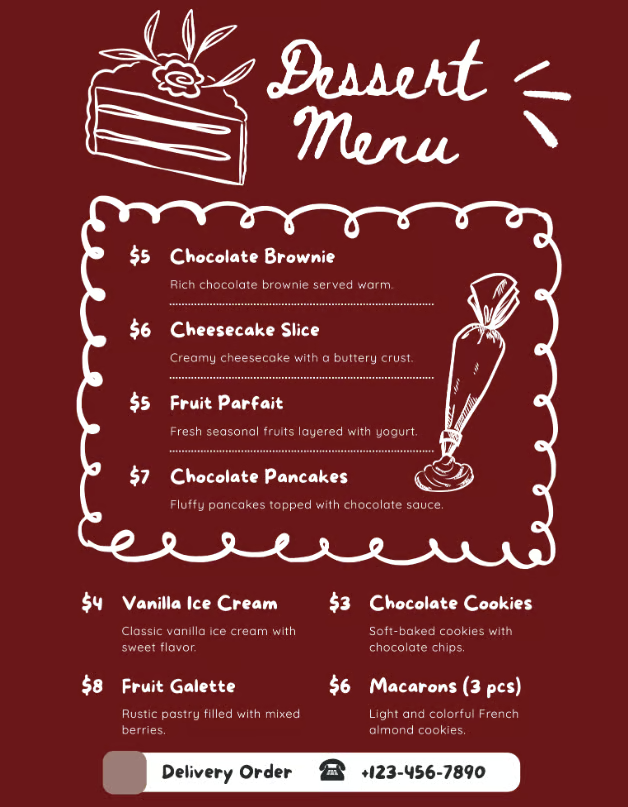
Dessert menus do not need a lot of menu space, but do need to be visually appealing. I see dessert menus as a way to break up visual monotony and offer a more fun or enjoyable visual experience for all your sweet, end-of-meal options.
The dessert menu template above has great visuals that convey the craveability of the desserts, and I particularly like the border around the four main offerings on the menu. If you offer warm and cold desserts, this could be a great menu break that highlights the difference between the two. I also think including the delivery number is a great idea, as it incentivizes orders for an indulgent meal.
14. Best catering menu template
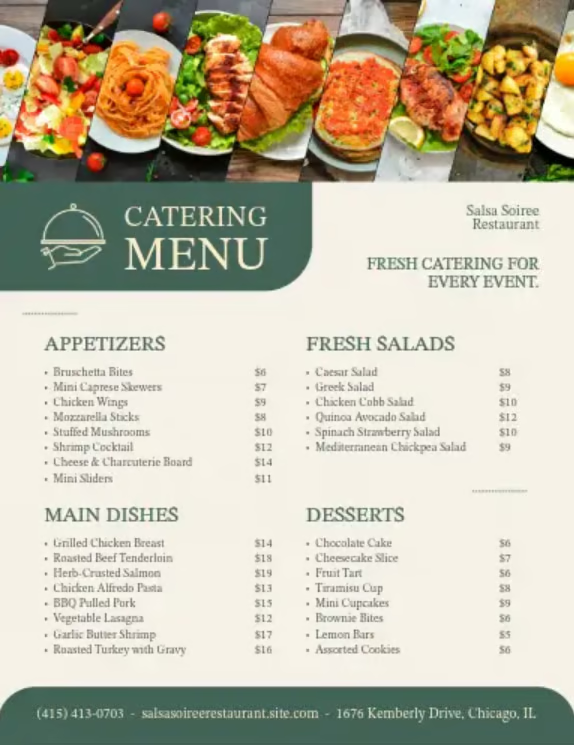
Catering menus require a lot of space to provide the different potential options they offer for each event. The catering menu template above does a good job of organizing different meal part types and offering a way to share the meal name and price as well. The contact information and location at the bottom of the menu are also critical, as catering orders will often be placed over the phone. My only critique is the image at the top; I recommend editing it out or replacing it with an image of your brand.
Related: Catering Menu Ideas & Tips From an Expert
15. Best QR code/digital menu template
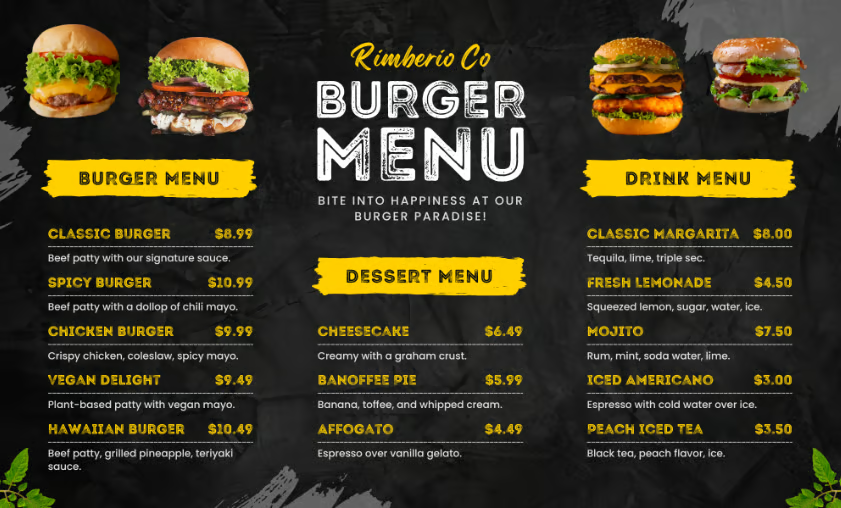
Digital menus should be bold, readable, and scannable. This menu offers all of that, with room for product naming, pricing, and clear menu descriptions. Furthermore, the menu allows you to add visual elements of your food, with enough space to add appealing images that draw customers in. I think the text at the top takes up too much space, but it can be edited to make the menu more efficient. For a digital menu, a bold, easy-to-read, easy-to-scan look will do well. This menu is great for a website QR code, but will need to be fitted for mobile use.
16. Best seasonal menu template
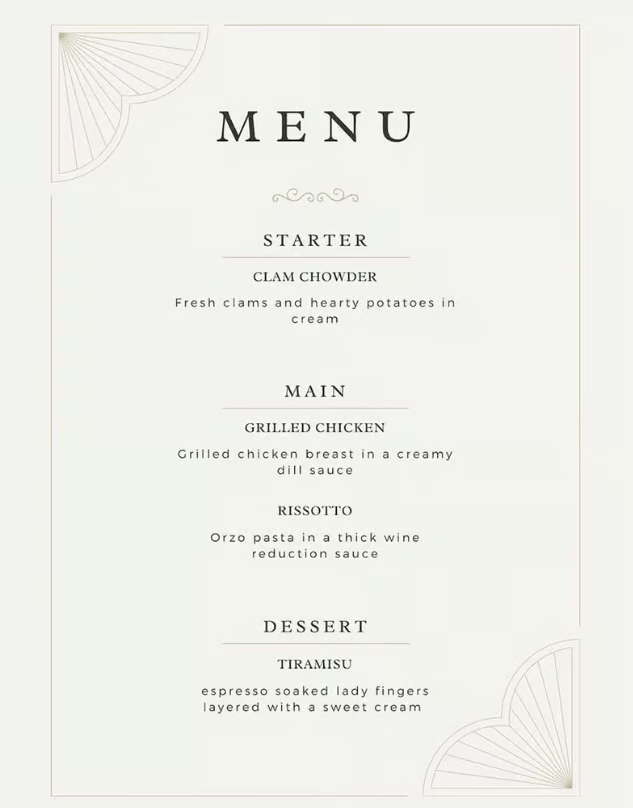
Seasonal menus often don't need as much space, as they change frequently. For seasonal tasting menus, you want ot be able to share the few options being prepared for your guests. I personally think a more minimalist option, such as this menu template, works because it focuses on the few dishes you are serving. It highlights the seasonality of your menu and is easy to edit consistently.
Related: Menu Pricing Strategies: How to Price Food to Sell
17. Best kids’ menu template
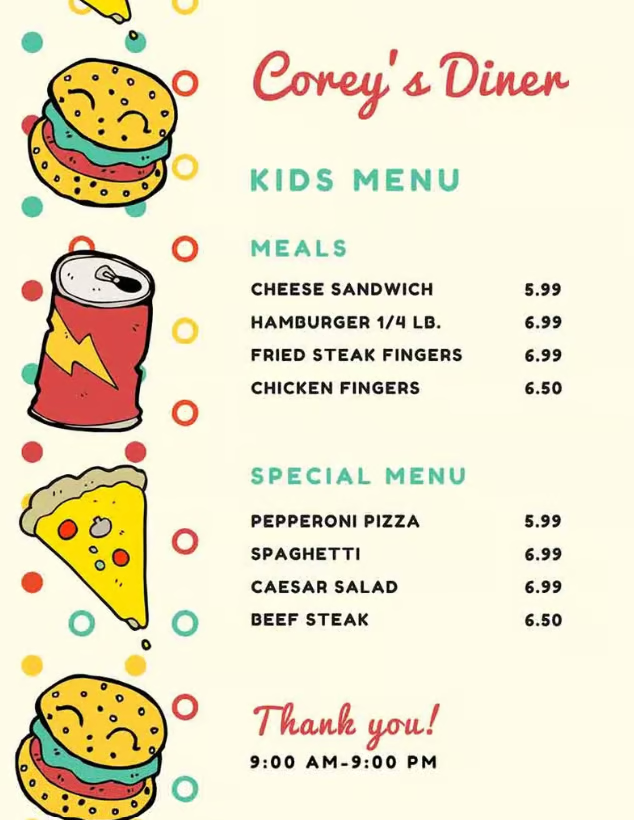
Kids’ menus are essential for any business that allows children to dine with parents. Kids’ menus are also often a separate menu given upon request, so this gives you the option to get creative. The kids’ menu template above offers not only colorful pictures but a simple, easy-to-read font for kids to pick whichever meal they want. This fun design and straightforward menu are great for kids and simply communicate to parents how much each item costs.
18. Best minimalist menu template
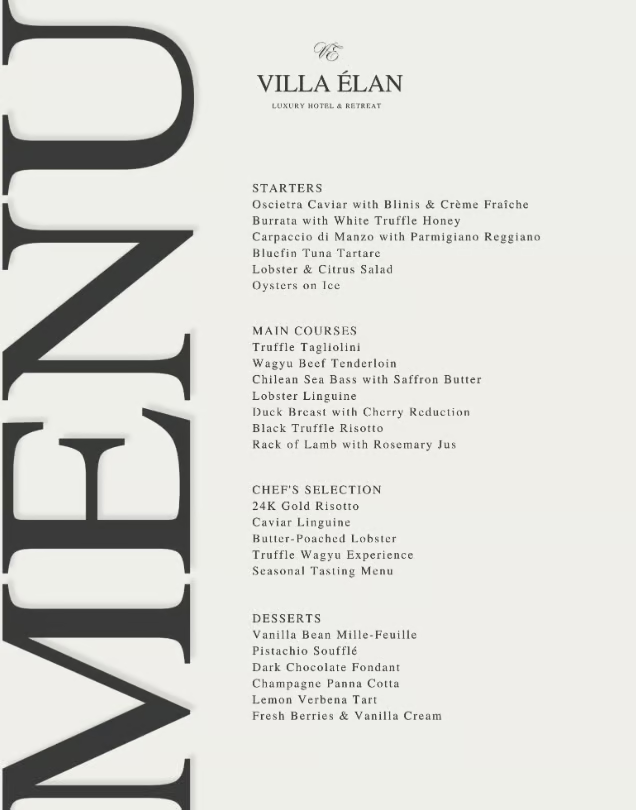
This minimalist menu template does what I think some minimalist templates do not: offer your menu offerings in a categorical manner. Even with a minimalist menu, I still think it is important to categorize it to avoid customer confusion. The only part missing from the template’s current layout is pricing, but it can be added. If you have a limited menu and want a minimalist visual offering, a menu like this can be very effective.
19. Best photo-heavy menu template
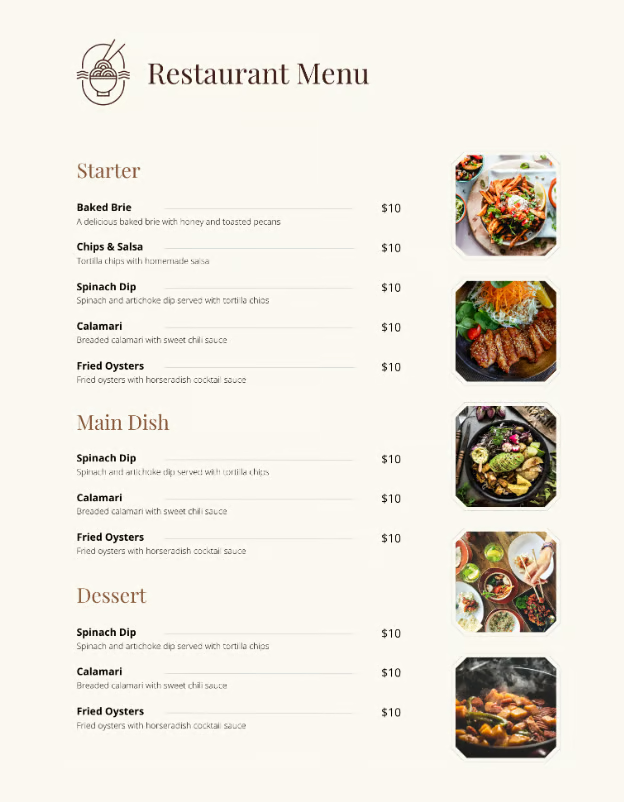
This menu offers five photo options while maintaining a clean, organized look. For a menu that can showcase your food, I would suggest this template. My one suggestion is to add descriptions below each food photo so your customers know exactly what they are looking at. The menu name and description flow nicely after each menu item, and the pricing is clear and bold, making it easy to read while also providing a strong visual representation of the food you are serving.
20. Best multi-page menu template
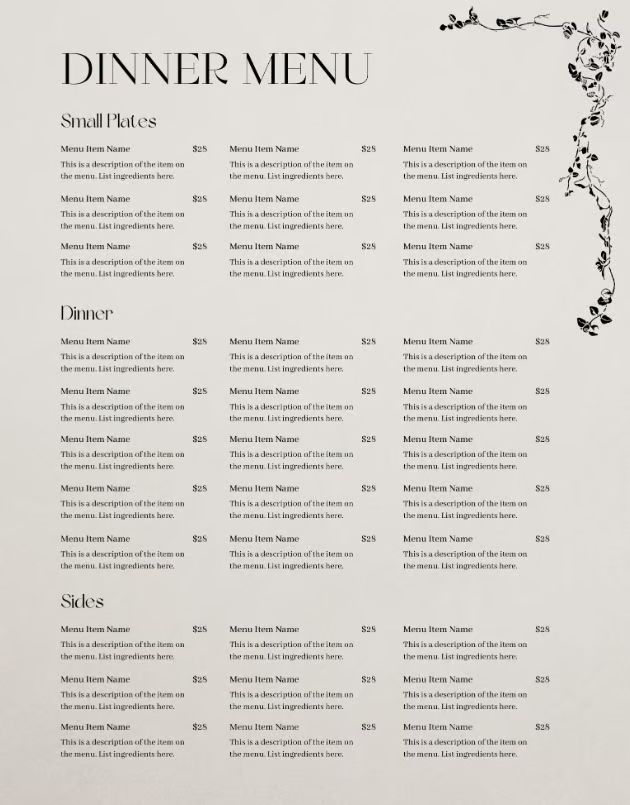
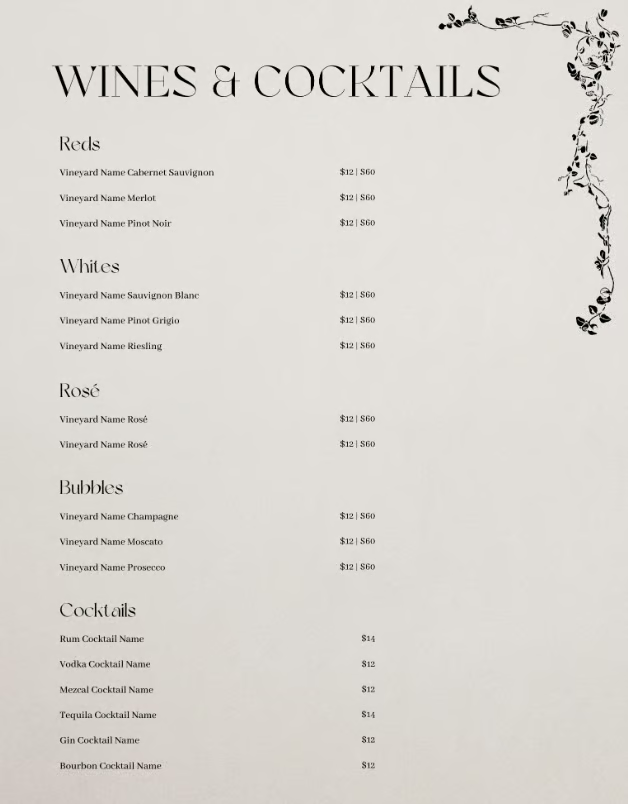
If you need a multi-page restaurant menu, this template is likely one of your best bets. The beauty of this in Canva is that you can duplicate these pages, creating multiple pages for food and drink. I find the simplicity of this menu great for a large menu, as simple, efficient menu design makes finding items and prices on your menus that much easier for guests. I would like to see more color in this menu overall, but do find that it is a great base for any restaurant operator with a large offering to build their menu design on.
Printable vs digital restaurant menu templates
Printable and digital menus both allow restaurants to convey their menus to customers. Printable menus work best when hospitality is at the forefront of the dining experience. They are familiar, easy to browse, and are readily accessible to guests. Printed menus also offer a more intentional touch to a restaurant, enhancing the in-person experience.
Digital menus are a convenient way for customers to scan your menu and place orders. They also allow for quicker change, as a simple edit is just made rather than reprinting an entire stack of menus. Digital menus can also support online ordering and can generally offer more photos and other visual elements for diners to use when ordering.
I always suggest restaurants have both formats, as digital menus are what a customer will see before ever stepping foot in your restaurant. Printed menus enhance the customer experience and make ordering more efficient. Whichever format you use, ensuring that all the information on both is consistent, easily readable, and aligned with your brand is key.
What every restaurant menu template should include
There are quite a few elements of a menu that are required for customers to understand your menu items, pricing, and brand. Use the checklist below to ensure your menu has all the required elements it needs:
☐ Restaurant name and logo
☐ Consistent brand colors and fonts
☐ Accurate menu item names
☐ Clear menu categories
☐ Concise dish descriptions
☐ Current prices
☐ Portion sizes if relevant
☐ Dietary labels, such as vegan or gluten-free
☐ Allergen and cross-contact notes
☐ Add-ons, substitutions, and modifiers
☐ Alcohol or age-related notices when relevant
☐ Additional charges or service fees
☐ Restaurant address and contact information
☐ Hours or meal-period availability when relevant
☐ Mobile-friendly formatting
Restaurant menu template mistakes to avoid
Restaurant menus are the primary means of communication you have with your customers. A good menu conveys what you are offering as a restaurant while also reinforcing your brand identity. That being said, it can be easy to make mistakes when choosing the best template for your restaurant. Below are some menu template mistakes to avoid:
- Choosing style over readability: Style should never supersede the content of your menu. Your menu should be easy to read and understand, and having a menu that is too stylish will frustrate your customers and cause confusion with your brand.
- Using too many fonts: Limit the menu to two or three fonts for consistent design and easy readability.
- Overloading with photos: Too many photos will clutter the menu. Use a few, high-quality photos of your food if photos are desired.
- Making prices difficult to update: Restaurant pricing is dynamic and can change frequently. Being able to make quick changes without disrupting page design is critical.
- Ignoring mobile viewing: Digital menus on mobile should load quickly and remain readable on a cell phone.
- Skipping staff testing: Ask employees to review pricing, modifiers, and descriptions for readability and clarity before publishing.
FAQs
What is the best free restaurant menu template?
The best free menu template is the menu template that matches your restaurant’s branding and menu layout. The template should be easy for guests to read and include the required content for your menu. Canva and Adobe Express both offer large libraries of free and customizable templates for restaurant operators to use.
Where can I find editable restaurant menu templates?
Editable menu templates are available in Adobe Express, Microsoft Word, Canva, Google Docs, and other specialized website design platforms. Choose templates that allow changes to text, colors, prices, fonts, logos, and page dimensions.
What should a restaurant menu template include?
A restaurant menu template must include organized meal-part sections, dish names, space for concise descriptions, prices, and relevant dietary or allergen callouts. They should also provide enough space for branding, service charges, contact information, and legally required disclosures.
Are Canva restaurant menu templates good for restaurants?
Yes, Canva templates are widely regarded as both affordable and easy to work with for restaurants. It is important as an operator to check if the template has any commercial-use restrictions, if the template if fully customizable, and test readability before printing.
Should restaurants use printed menus or QR code menus?
Most restaurants offer both to guests, in the right areas. Printed menus are often the preferred format for guests, as they are tangible and convey a sense of care for your brand. QR codes should be offered in places of your restaurant when the menu is quickly needed, or on small areas in the dining experience where a traditional menu may not fit. Restaurants should avoid QR codes for all use, as this has fallen out of favor with guests.
How often should restaurants update their menus?
Restaurants should update their menus whenever dish prices, product offerings, availability, or dietary information change. Seasonal restaurants will revise menus several times a year, while more consistent concepts should at least audit their menu quarterly.
Last bite
There are so many different menu templates to choose from in 2026. Sites like Adobe Express and Canva offer thousands of options, which can be overwhelming. By using the knowledge in this guide and the 20 templates as an example, you can be sure to understand how to find the best one for your restaurant. The best menu showcases food, pricing, your brand, important information, and the type of restaurant you are. Choosing the right template to build your menu off of, therefore, is critical.
