


Toast POS is a point-of-sale system that is widely used in the restaurant industry. It is known for intuitive software, durable hardware, and the ability to pair the two in one succinct offering. Toast is best for full-service restaurants or restaurants with many locations, but can be used in a wide range of other concepts as well.
Toast offers restaurant software tools and hardware options that simply cannot be matched by other POS systems. While some items are locked behind additional payment add-ons, Toast is your best bet if you are looking for a comprehensive POS system built for restaurants in 2026.
- Why you can trust our review
- Pros and cons
- Toast POS at a glance
- Is Toast right for your restaurant?
- Toast POS alternatives
- Toast POS pricing: 4.63 out of 5
- Toast POS general features: 4.69 out of 5
- Toast POS advanced features: 4.63 out of 5
- Toast POS support: 4.81 out of 5
- Toast POS expert score: 4.35 out of 5
- Methodology: How I reviewed Toast
- FAQs
- Last bite
Why you can trust our review
I have used Toast many times in my restaurant career, as well as other POS systems. I have been in the industry for over 10 years, working in both traditional full-service restaurants and other food concepts. I have also been writing about food POS systems for the past five years, constantly searching for updates and new features. I also review pricing updates and build the case for POS systems based on accurate, updated information and an understanding of how they work in real-world restaurants.
Toast POS at a glance
| Supported business types | New and small operations, growing restaurants, multi-location brands |
| Monthly software fees | $0-$69; custom pricing |
| Payment processing | Toast Payments; from 2.49% + 15 cents |
| Contract length | 2 years |
| Standout features |
|
| Hardware | Proprietary restaurant-grade hardware |
| Customer support | 24/7 (phone or web) |
Is Toast right for your restaurant?
Toast restaurant POS is particularly great for:
- Full-service: Toast was built for full-service restaurants, which is one of the biggest reasons why it is used across the industry in such a meaningful way. Table management, split checks, coursing, customer profiles, and detailed sales reporting make it the ideal fit for full-service restaurants.
- Fast casual: Toast’s ability to manage counter service, online ordering, takeout, and delivery orders makes it a great fit for fast casual concepts. Its restaurant-focused workflows make it easy to manage multiple channels customers choose to order from.
- Multi-location: Toast acts as a centralized location for reporting out to restaurant groups, while also allowing for unique location management. Operators can ensure consistency across restaurants while also managing the independent challenges of each location.
- Growing restaurants: As I mention elsewhere in the review, Toast is actually quite good for growing restaurants. It feels like every time a restaurant grows, it can level up through Toast. The broad restaurant features and highly detailed reporting make it easy to both grow and track your success.
- High-volume: Toast’s restaurant-grade hardware and suite of restaurant tools make it an ideal POS system for high-volume restaurants. Intuitive KDS order tracking, handhelds, and integrated ordering channels allow Toast to fully shine as a reliable restaurant POS system.
Toast POS alternatives
Square | Lightspeed Restaurant | SpotOn | |
| Best for | Free POS software | Depth of reporting | Multi-location restaurants |
| Monthly software fees from | $0 | $69 | $0 |
| Payment processing | Square Payments | Lightspeed Payments | Integrated with SpotOn POS |
| Learn more |
When to use a Toast POS alternative
- Small cafés that want free POS software: Toast may offer more functionality than a small café needs. Square is a simpler alternative with a free software plan, straightforward setup, and essential features for taking payments and managing day-to-day operations.
- Restaurants that need deeper reporting: Restaurants seeking more detailed insights into sales, menu performance, labor, and other operational metrics may prefer Lightspeed Restaurant. Its reporting capabilities make it particularly useful for operators who want to make data-driven decisions.
- Multi-location restaurants: Growing restaurant groups may find SpotOn better suited to managing operations across multiple locations. Its restaurant-focused platform provides centralized tools for overseeing sales, menus, employees, and performance across the business.
Toast POS pricing: 4.63 out of 5
Toast POS software is offered on various pricing plans, making them accessible to restaurant operators of all types. That being said, there are additional hardware and payment processing costs to be aware of. Below is a breakdown of Toast’s total pricing for the software and hardware it offers.
Toast POS costs
| Plan | Starting price | Best for | What to know |
| Starter Kit | $0/month | New, small, or single restaurants wanting to start small with one or two terminals | Includes cloud-based POS system with one hardware configuration set up with no upfront cost, but does use Pay-as-You-Go pricing, leading to higher transaction costs. |
| Point of Sale | $69/month | Restaurants needing Toast’s POS offerings with flat-rate pricing | Includes Toast's core POS offering; hardware is configured and priced separately. |
| Build Your Own | Custom Pricing | Growing restaurant groups, or complex, multi-unit restaurant groups | Allows operators to combine Toast’s POS offerings with add-ons and other relevant products. |
Hardware costs
Toast is known for its industry-grade hardware and offers a range of options for in-depth management of any restaurant. Below are the hardware offerings Toast provides:
- Toast Flex terminals
- Toast Go handhelds
- Kitchen display systems (KDS)
- Guest-facing displays
- Kiosks
- Printers, cash drawers, routers, payment devices
Toast does not universally showcase pricing for each individual piece of hardware, but rather offers pricing on kits and some specific add-ons. Below are some of the kits offered at the basic level, what they include, and the different pricing options available. Higher tiers are available with additional product add-ons, but below is the basic tier pricing for their four POS starter kits.
Basic level hardware kit costs
| Hardware kit | What’s offered | Pay-as-You-Go pricing | Traditional pricing |
| Countertop Starter Kit | Toast Flex POS terminal Toast Tap payment device Data security router Point of Sale software Self-Service Installation Support | $0 upfront $0 per month Card transaction fee: 3.09% + $.15 | $1,203 upfront $69 per month Card transaction fee: 2.49% +$.15 |
| Wi-Fi Only Handheld | Toast Go® 3 Wi-Fi only handheld POS Terminal Wireless Access Point Data security router Point of Sale software Self-Service Installation Support | $0 upfront $0 per month Card transaction fee: 3.09% + $.15 | $1,113 upfront $69 per month Card transaction fee: 2.49% +$.15 |
| Cellular Handheld | Toast Go® 3 Cellular + Wi-Fi handheld POS Terminal Cellular Subscription Point of Sale software Self-Service Installation Support | $0 upfront $20 per month Card transaction fee: 3.09% + $.15 | $749 upfront $89 per month Card transaction fee: 2.49% +$.15 |
| Guest Self-Service Starter Kit | Toast 22" Self-Service Kiosk Toast Tap payment device Data security router Point of Sale software Self-Service Installation Support | $0 upfront $0 per month Card transaction fee: 3.09% + $.15 | $1,454 upfront $99 per month Card transaction fee: 2.49% +$.15 |
Regarding the different levels for each kit, there are two additional tiers to choose from. These two are:
- Core: Includes online ordering and integrations into DoorDash, Uber Eats, and Grubhub.
- Growth: Includes all Core features, with gift cards, loyalty, SMS and marketing tools, websites, and catering and events tools
Payment processing
Toast payment processing has become less transparent in 2026. While the starter kits offer this information, the base plans shared above can vary in the payment processing you can expect. Payment processing is done within Toast Payments, and the processing rate varies by plan type, transaction type, sales volume, and the negotiated agreement. Before signing up with Toast, I would recommend requesting rates for:
- In-person card payments
- Online orders
- Manually entered cards
- Card-not-present transactions
- Refunds and chargebacks
All of this information is crucial, as processing fees and other payment processing charges can make software costs sneakily expensive over time. I have found that negotiating rates is best, and knowing them before signing any agreement is critical.
Add-on costs
Many of Toast’s advanced software tools are offered as add-on options, often being rolled into hardware kits like above, or quoted to each individual user. Below are the software tools that Toast charges an add-on fee for:
- Online ordering and delivery
- DoorDash, Uber Eats, and Grubhub integrations
- SMS and email marketing
- Toast Tables
- Tip management
- Payroll and scheduling
- xtraCHEF inventory and cost analytics
- Catering and events
- Multi-location management
- Branded websites and mobile apps
Hidden costs
Toast’s pricing is not deceptive by any means, but they have moved quite a bit to custom quotes or otherwise individual pricing within the signup process. Below are the different hidden costs to watch out for with Toast:
- Additional terminals and handhelds
- Kitchen displays and printers
- Installation and implementation
- Replacement hardware and accessories
- Online-ordering transaction costs
- Third-party delivery commissions
- Add-on subscriptions
- Replacement hardware fees
- Early-termination fees
Toast POS general features: 4.69 out of 5
Restaurant POS
Toast’s core POS system supports fast order entry, table and seat management, detailed modifiers, coursing, split checks, and the ability to accept multiple payment types. Toast Go handhelds additionally allow servers to enter orders and accept payments tableside, reducing the need for trips to stationary terminals. Their core restaurant POS offering is robust, and one of the most in-depth on the market in 2026.
Kitchen operations
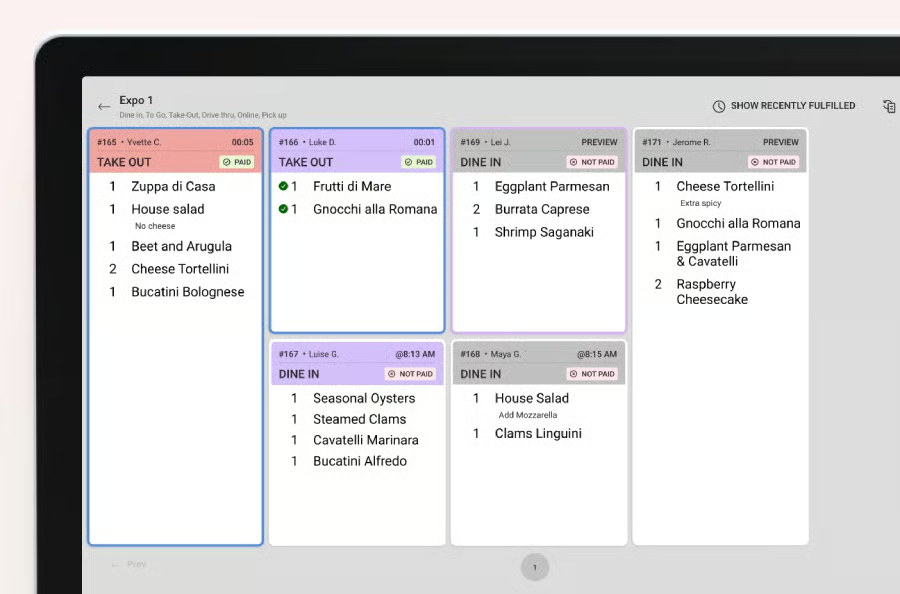
Toast’s KDS sends orders directly from the POS to the appropriate stations within your kitchen. Their industry-grade hardware means their KDS screens hold up in all cooking environments. Toast’s KDS allows for configuration of ticket routing, meal coursing, prep timing, order prioritization, expo workflows, communication between kitchen and service staff, and much more.
Related: Best Restaurant Management Software in 2026
Inventory management
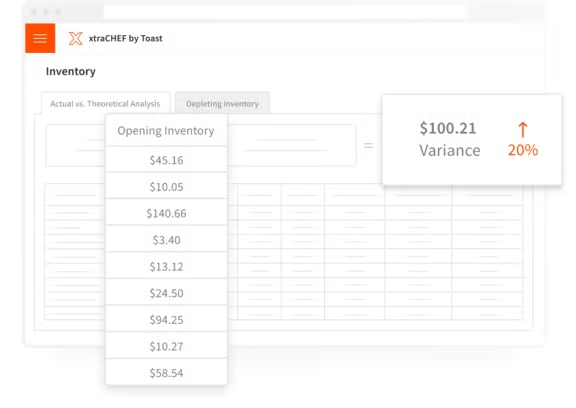
Toast’s inventory features come in the form of a tool called xtraCHEF. This tool connects purchasing and ingredient costs with POS sales, and includes these other features:
- Recipe and plate costing
- Inventory counts
- Ingredient par levels and depletion
- Actual-vs-theoretical reporting
- Low-stock visibility
- Invoice automation
- Purchasing and order guides
- Menu and sales data syncing
Employee management
Toast’s workforce products use employee data and POS activity and sales reporting. Capabilities include scheduling, payroll, tip tooling, time tracking, tip distribution, staff communication, and labor cost reporting. These tools share data with Toast’s POS system, allowing managers to compare scheduled and actual labor against real-time restaurant sales with manual entry. This robust employee management, paired with real-time sales and operational data, makes Toast’s employee management tools so effective.
Toast POS hardware
Toast prides itself on its rugged and intuitive hardware, and I believe it's the best you can find in the restaurant industry. IT simply works well and withstands the extreme environments kitchens can create. Below are the hardware types Toast offers and the solutions they provide for restaurants.
- Handhelds: Toast GO devices let servers take orders and payments throughout the dining room, patio, or line. They are super valuable for high-volume, full-service, or large-footprint restaurants.
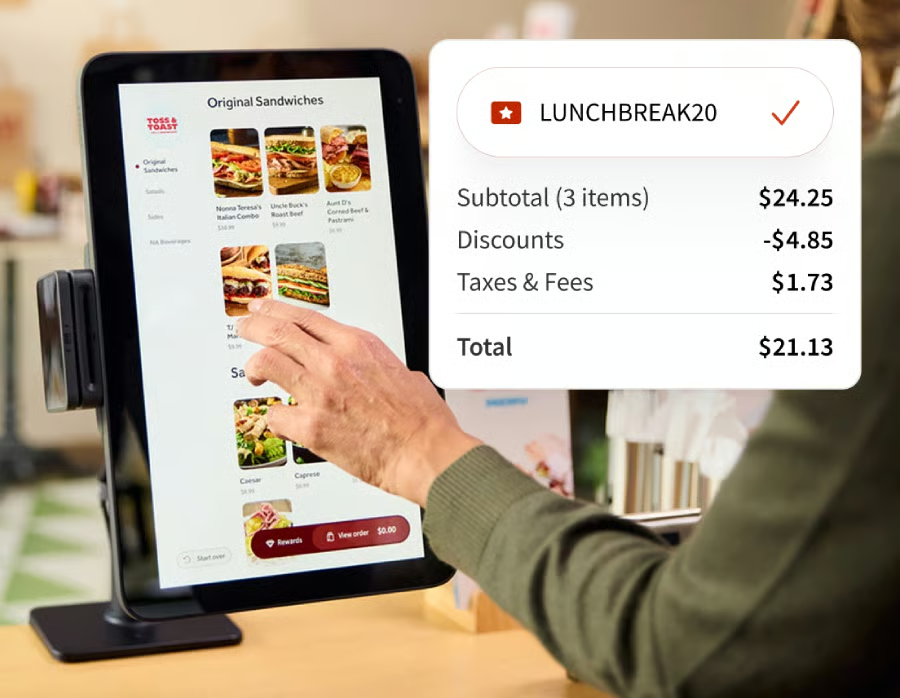
- Kiosks: Self-ordering kiosks allow customers to browse menus, customize their orders, and pay without a cashier. This can lower labor costs and streamline the guest ordering experience. Quick-service and fast-casual restaurants are the best fit for this hardware.
- Guest displays: Customer-facing displays allow guests to review their orders, choose how much to tip, and complete their payment accurately and securely. This hardware is great for counter-service restaurants, such as cafes or delis.
- Kitchen displays: My personal favorite hardware made by Toast, its KDS screens track and organize orders, route items to the kitchen, track order timing, flag guest or allergen information, and help support expo. Restaurants with multiple stations or heavy order volume with different channels should consider Toast’s KDS screens.
- Printers and accessories: Toast supports receipt printers, kitchen printers, routers, cash drawers, docks, and other accessories. Even restaurants using a KDS may want backup printers for hardware issues or outages.
Integrations
Toast offers more than 200 integrations alongside its native product offering. Availability and pricing should be confirmed before purchasing integrations, as pricing may very. Below are the integration categories and respective use cases Toast offers within its POS system:
- Accounting: Tools that sync sales, invoices, payroll, and financial data with accounting systems.
- Delivery: Sending DoorDash, Uber Eats, Grubhub, and other orders into Toast.
- Payroll: Connecting employee hours, wages, taxes, tips, and benefits into a third-party integration.
- Reservations: Managing bookings, waitlists, guest profiles, and tables within a third-party reservation integration.
- Marketing: Connecting CRM, email, loyalty, SMS, reviews, and customer campaigns into an integration.
- Ecommerce: Supporting integrations that focus on online ordering, catering, retail products, gift cards, and branded apps.
Toast POS advanced features: 4.63 out of 5
Online ordering and delivery
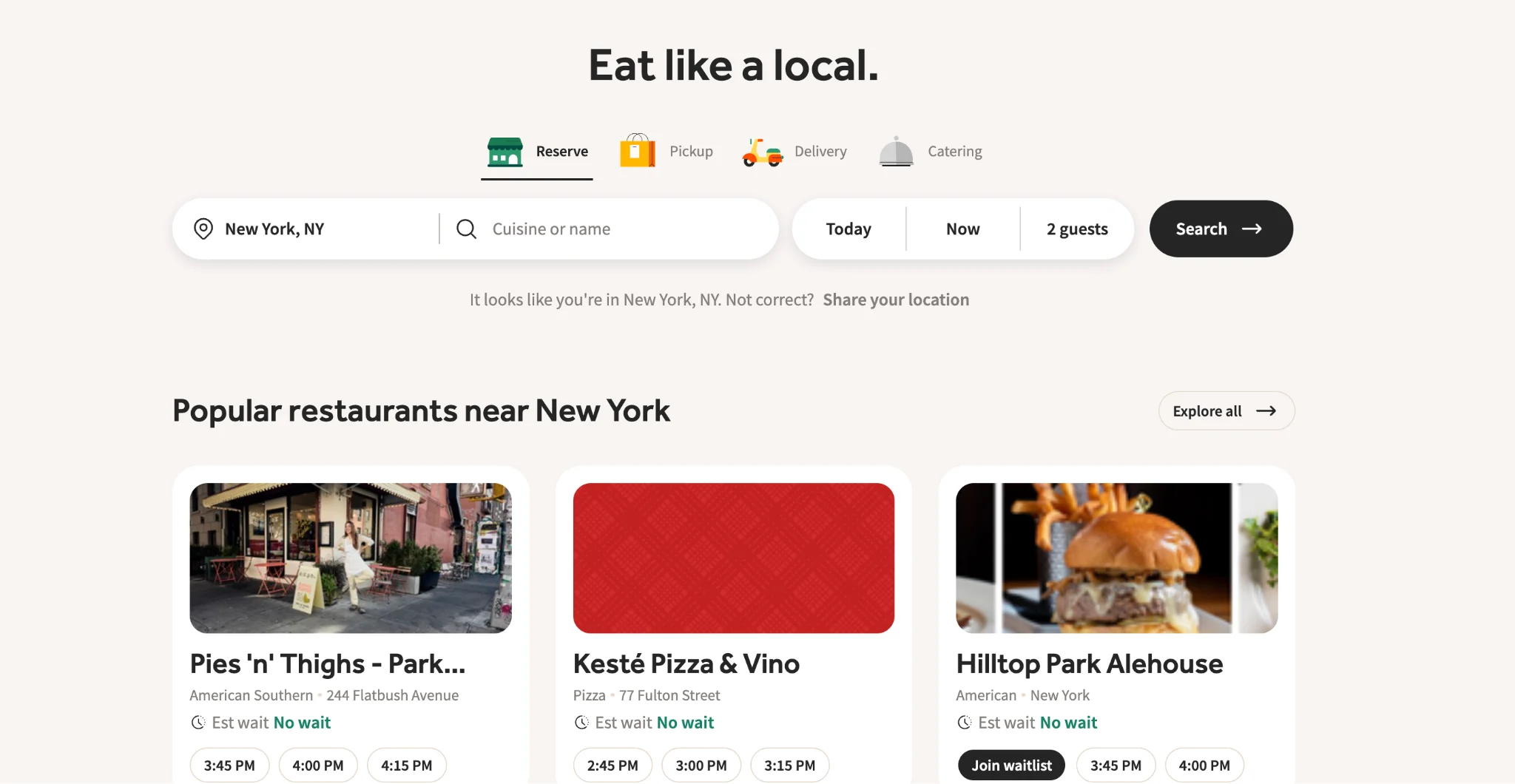
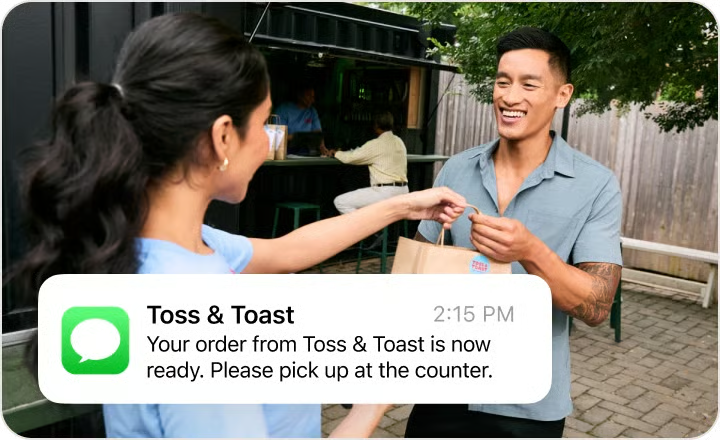
Toast Online Ordering allows restaurants to accept first-party pickup and delivery orders directly through their own digital storefront. Toast Local is a local eatery discovery platform for customers, allowing them to order from or reserve tables at participating restaurants. Toast also integrates DoorDash, Uber Eats, Grubhub, and other platforms so that orders flow directly to your kitchen staff.
Toast describes its first-party ordering as commission-free, but software processing, delivery, and guest service fees can apply. Third-party ordering will generally still cost more than Toast’s Online Ordering tools, and it still seems like a great deal for existing users of Toast’s POS software.
Read more: 9 Best Restaurant Online Ordering Systems for 2026
Marketing and guest engagement
Toast continues to push the boundaries of guest engagement and marketing tools for restaurants, and in 2026, this is even more apparent. The increasingly connected set of tools for marketing and engagement includes:
- Loyalty programs
- Email marketing
- Guest CRM
- SMS marketing
- Reservations and waitlists
- Physical and digital gift cards
- Guest segmentation
- AI-assisted marketing
Toast’s Guest CRM builds profiles for customer activity across ordering, reservations, loyalty, and other Toast products. I personally believe Toast has some of the most intuitive Guest CRM builds you can find, making curated and intentional customer service simple. Operators can then use these robust profiles for targeted marketing campaigns and to encourage repeat visits.
Toast AI Features
Toast has introduced some pretty comprehensive AI tools in 2026 to both stay competitive and offer a more integrated restaurant POS system. Below are the major AI tools they have launched since our last review:
- Toast IQ: Toast IQ is an AI-powered assistant that Toast offers that analyzes your restaurant sales and operating data. With this data, operators can ask questions much like a language model allows, review performance, identify trends, and receive recommended actions without building any manual reports.
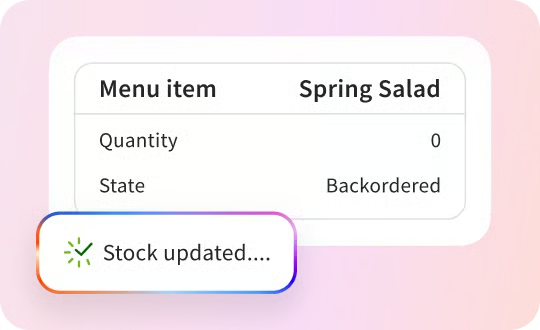
- AI menu management: Toast IQ will analyze sales data to recommend menu pairings and upselling opportunities. Restaurants will apply those recommendations to prompts displayed on terminals and handhelds, helping servers suggest relevant additions.
- AI reporting: This is one tool that many restaurant owners will find very useful, in my opinion. Operators can use Toast IQ to ask questions about sales, menu performance, guest profiles, and operational trends. The system uses your existing Toast data to generate summaries and recommendations for managers to work from.
- AI marketing: Toast’s AI tools allow you to generate campaign content, identify consumer segments, and can even recommend promotion types based on transaction and guest data. This reduces manual work involved in creating email and SMS campaigns.
- Toast IQ Grow: Toast IQ Grow combines Toast’s AI Marketing Agent with integrated loyalty, email, SMS, gift cards, social marketing, and dedicated human support. This tool then analyzes transaction and guest data to identity campaign opportunities, while the human marketer oversees the execution.
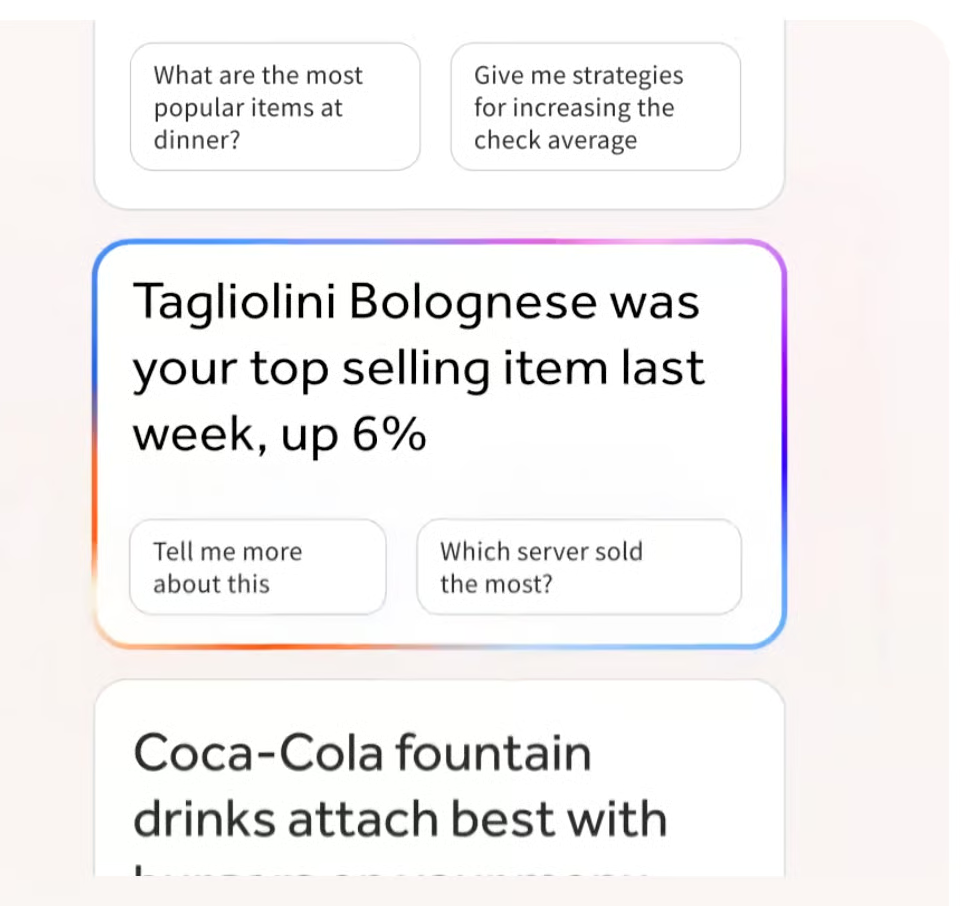
As you can see, Toast has invested heavily in its AI tools, differentiating it from many other restaurant POS systems on the market. While these AI tools are useful, verification and an understanding of the data being used from your restaurant are essential.
Toast POS support: 4.81 out of 5
Customer support is vital to any restaurant operator onboarding a new POS system. Luckily, Toast offers wide-ranging customer support options to meet your needs during onboarding and ongoing use. Below is an overview of the customer support you can expect from Toast:
- Availability: Toast Care is included with software subscriptions and is available to reach 24/7/365 by phone or web messaging.
- Onboarding: New customers receive comprehensive guidance to set up their software and hardware. Toast also offers guided learning paths and live training sessions.
- Implementation: This includes hardware setup, menu configuration, installation, testing, and go-live support. This will depend on the scope and size of the restaurant, so coordinating with Toast is important for this support branch.
- Documentation: Toast Central provides searchable instructions, troubleshooting articles, training resources, and product guides for your review. Toast Classroom also offers learning resources for your day-to-day use.
- Community: Toast Community provides a forum for restaurant operators to ask questions, share workflows, and learn how to resolve issues from other Toast users.
Toast POS expert score: 4.35 out of 5
Toast offers an interface that is designed around restaurant workflows, which can make order entry and payment functions intuitive for servers and cashiers in your restaurant. Handheld ordering is very easy for staff members with smartphone-style devices, as the UI was made to feel similar. For kitchen staff, Toast’s ability to route orders to KDS screens and let them organize them intuitively makes receiving information very simple in a kitchen powered by Toast.
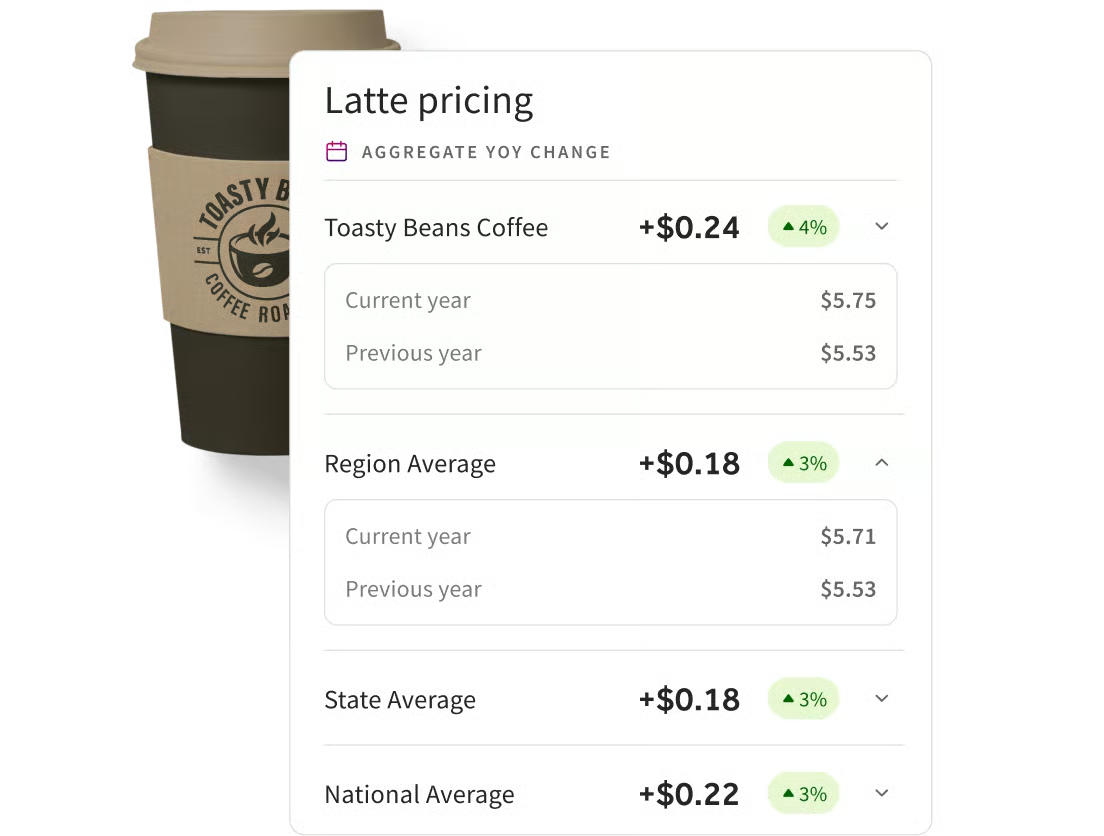
Beyond this, Toast’s onboarding support is quite robust, covering menu upload, item modifiers, tax setup, permissions, and integrations. Toast’s training will walk through how to use its interface and will teach staff the daily POS functions they need to learn quickly. Managers will often have the largest learning curve, as they will work with reporting, payroll, inventory, and other system tools regularly, but then benefit from them. This is especially true with tools such as Benchmarking, which allows you to compare your restaurant menu pricing and performance to others in your area.
That being said, Toast’s setup assistance offers live setup support, live training, online resources, on-demand courses, and other key resources to make it easier than ever to learn the ins and outs of Toast. If your restaurant is larger or has multiple units, an internal implementation lead for POS technology is an additional onboarding source for the POS system. Toast was built for restaurant workers, and you can tell by how easy it is to use.
Toast reviews from real-world users
When I review software like Toast, it's important to understand what users like and dislike. Below are the common themes users claim to like and dislike about Toast’s POS offerings in 2026.
Users like
- Restaurant-focused workflows and intuitive features
- How easy it is to learn and use
- Streamlining of restaurant operations
- The diversity in ordering and payment hardware options
- Reliable customer support
- Easy-to-navigate reporting
- Robust and easy-to-use AI program
- Robust and compatible third-party ordering integrations
- Sales and payment trend tracking
- Employee software access and training
Common complaints
- Being locked into Toast payments
- Pricing complexity and sometimes lack of transparency
- Longer contractual periods
- The cost that hardware and add-ons can incur
- Complex issues can be hard to find support with
- Setting conditional rules for menu items is difficult
- Software fees can be pricey over time
Methodology: How I reviewed Toast
When researching different POS systems to recommend, I consider a wide range of criteria to come up with the best recommendations I can. Below is the methodology I used in order to analyze and give a verdict on Toast:
- Pricing: Affordability is a major aspect for any restaurant owner choosing new software to onboard into their business. I considered the option for a free plan, the monthly cost, and length of contract terms for Toast. I also took into account the maximum number of users allowed on the account, the hardware offered, and the payment processing flexibility offered.
- General features: The review I conducted focused on Toast POS features, such as inventory management, contactless payments, and the ability to integrate with other restaurant tools. I also took into account workforce management tools, the ability to issue gift cards, and the general depth and ease of accessing reports.
- Restaurant-specific features: I looked for cash management/tracking tools, tipping management, and online ordering/delivery integrations and functionality. Bar features, loyalty program options, and general kitchen-focused tools were also considered for this review.
- Support: In this section, I took into account its customer service hours and the ease of installing the system. I also evaluated the offering of both an offline mode and a cloud-based storage structure.
- Expert score: Any good restaurant software is easy to use, and Toast should be no different. I also took into account the features offered for the monthly price to determine how much value Toast offers per month. I also looked at online user reviews, Toast's popularity, and the value it offers to restaurant operators.
FAQs
Although Toast POS is one of the most popular on the market, there are still many questions about it. Below are some of the most commonly asked questions I get about Toast POS.
Is Toast POS worth it?
Toast POS is definitely worth it in 2026, especially since it ranks highly in our restaurant POS guides every year across a variety of categories. Toast includes menu management, kitchen display systems, online ordering, in-depth restaurant reporting, and much more. Its value to each user will depend on its processing rates and monthly price, but overall, it is seen as a POS system worth the cost.
Does Toast require Toast Payments?
Yes, Toast requires Toast Payments for all payment processing. This means operators cannot choose a third-party payment processor outside of Toast. Toast Payments is the only option available to Toast POS users.
Does Toast work offline?
Yes, Toast’s offline mode is functional, allowing restaurant owners to perform a variety of tasks. You can still accept cash payments, and some card payments are accepted; the system will process the transaction once it's back online. That said, the restaurant assumes the risk of any processing issues when connectivity is reestablished.
Can Toast integrate with DoorDash?
Yes, Toast offers a direct integration with DoorDash’s third-party delivery platform. This means DoorDash will send items directly to a KDS screen without manual entry. Menu items, pricing, hours, and more are all reflected within DoorDash’s integration.
How much does Toast really cost?
Toast offers a Starter Kit for $0, with payments made through processing fees. The core POS plan is also offered at $69 per month. The total cost, though, will be determined by installation, setup fees, hardware fees, and other additional features. Toast can provide an itemized cost sheet when needed.
Is Toast good for small restaurants?
Yes, Toast offers starter POS configurations for smaller restaurants within its platform. This is especially useful for restaurants wanting to grow, as the bevy of tools Toast has makes growth seamless. That being said, smaller businesses not aiming to grow should compare costs and other features, as Toast may simply have more than a smaller restaurant needs without growth as an objective.
Is Toast better than Square?
Toast is generally better for restaurants specifically, as this is the way the POS is designed. Toast simply offers more robust software for restaurant owners, making it feel like the POS system was designed by a chef. Furthermore, Toast’s hardware is industry-grade and made to survive the harsh environments of a professional kitchen. This makes it feel like Toast has more use cases and intentions in restaurants than Square.
Does Toast have inventory management?
Yes, Toast offers restaurant inventory management through their add-on, xtraCHEF. This service includes mobile counts, recipe costing, invoice automation, COGs reporting, and more in-depth analyses, such as theoretical vs. actual food cost analysis.
Can Toast handle multiple locations?
Yes, Toast is built for both single and multi-unit restaurants. Its centralized reporting software makes it easy to manage multiple units, while also giving unit-specific tools to ensure each location is managed correctly. This allows restaurant owners to manage different locations while ensuring each location has the data it needs.
Last bite
Toast is one of the best POS systems available for restaurant operators in 2026. Robust software tools, rugged hardware, and now AI features that make running a restaurant that much easier all come together to offer a package that is hard to beat. While customers may pay a premium to use all of Toast’s features, they can be assured their money will get them a great deal of useful return on their technological investment.
